ShopDreamUp AI ArtDreamUp
Deviation Actions


Suggested Deviants


Suggested Collections


You Might Like…


Description
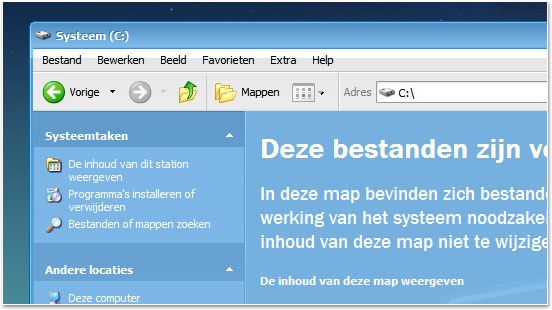
Here is my custom made shellstyle for Ambient.
How to install:
There's a folder called "Shell" inside the download file. This folder should be placed inside the same folder as the Ambient visual style.
How to enable shellstyles:
Open up "My Computer". Then in the top menu bar click "Tools > Folder Options".
Click on the radio button next to "Show common tasks in folders" and hit "OK"
Change Log:
v1.1 - 2009-02-27
• Added shellstyles for new sub skins.
Bugs:
Please contact me if you find any. Thanks in advance.
Wallpaper used in the preview: Floating Island by KoL.
How to install:
There's a folder called "Shell" inside the download file. This folder should be placed inside the same folder as the Ambient visual style.
How to enable shellstyles:
Open up "My Computer". Then in the top menu bar click "Tools > Folder Options".
Click on the radio button next to "Show common tasks in folders" and hit "OK"
Change Log:
v1.1 - 2009-02-27
• Added shellstyles for new sub skins.
Bugs:
Please contact me if you find any. Thanks in advance.
Wallpaper used in the preview: Floating Island by KoL.
© 2009 - 2024 Jamush
Comments36
Join the community to add your comment. Already a deviant? Log In

ambient VS gives 404 error, any idea where to get it?